When I started my blog I looked all the options in the Pelican theme gallery, and decided on the Flex theme by Alexandre Vizenzi as the best one for my needs:
- Minimalistic and beautiful.
- Responsive layout.
- Archives, categories, tags support.
- Pygments support for code highlighting.
- Light/Dark modes support.
Eventually I ran into some missing features or small things that I wanted to update, so I started contributing to Flex. However some of my desired changes were too deep, and they didn't fit in Flex as the project was in maintenance mode. After some thinking I decided to fork the theme to introduce my more breaking changes.
Reflex is intentionally very similar and mostly compatible with Flex, and the plan is to keep that way. There will have some new features and some style tweaks, but there is no major rewrite planned. Reflex will incorporate new versions of Flex as long as the two codebases remain compatible.
See this screenshot of how Reflex looks (also serves as an example of how to add captions using markdown-captions, see the figures documentation):
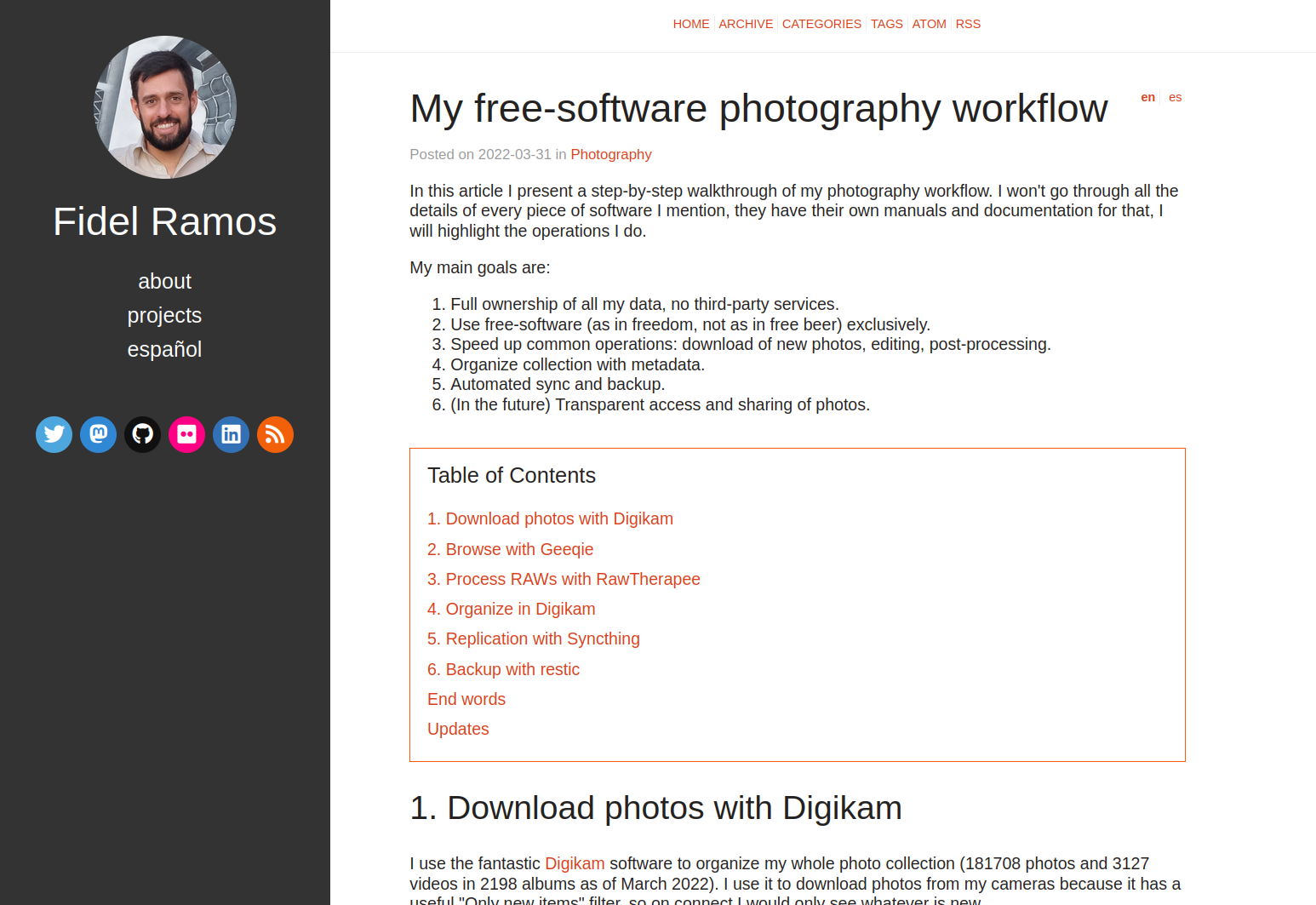
Reflex supports all integrations that Flex does, but the only one I personally use is the Shynet integration.
If you need to show some program output you can use <samp> tag to look like this:
Done: Processed 4 articles, 0 drafts, 2 pages and 0 hidden pages in 0.22 seconds.
Or if you want multiple lines:
total used free shared buffers cached Mem: 5866 4674 1192 386 0 2404 -/+ buffers/cache: 2269 3596 Swap: 20480 1267 19213
If you like to share code snippets, you can take advantage of Pygments syntax highlighting:
// Javascript
var bar = 0;
# Python
class Foo(object):
    def __init__(self, bar)
        self.bar = bar
# Bash
ls *.jpg | xargs -n1 -i cp {} /external-hard-drive/directory
All Pygments themes are available.
You can add tables too:
| Item | Value |
|---|---|
| Computer | $1600 |
| Phone | $12 |
| Pipe | $1 |
And this is how headings looks like:
This is heading 1
This is heading 2
This is heading 3
This is heading 4
This is heading 5
This is heading 6
You can add a Table of Contents (see toc documentation):
These examples are in Markdown. I don't test content in reStructuredText, if there are any bugs feel free to send a patch. Keep in mind that Markdown allows you to add HTML tags. If you can create the same HTML syntax produced by Markdown using reStructuredText it will work.
You can look at the source code of this page to see the markup for all the examples.
If you want to contribute to Reflex, check the source code, drop a comment or open an issue if you need a feature or found a bug.
